Mr. Number: Spam Call Blocker
- 3.9
- Rating
- 10.00M
- Installs
- Free
- Price

 Analysis by App-foxy
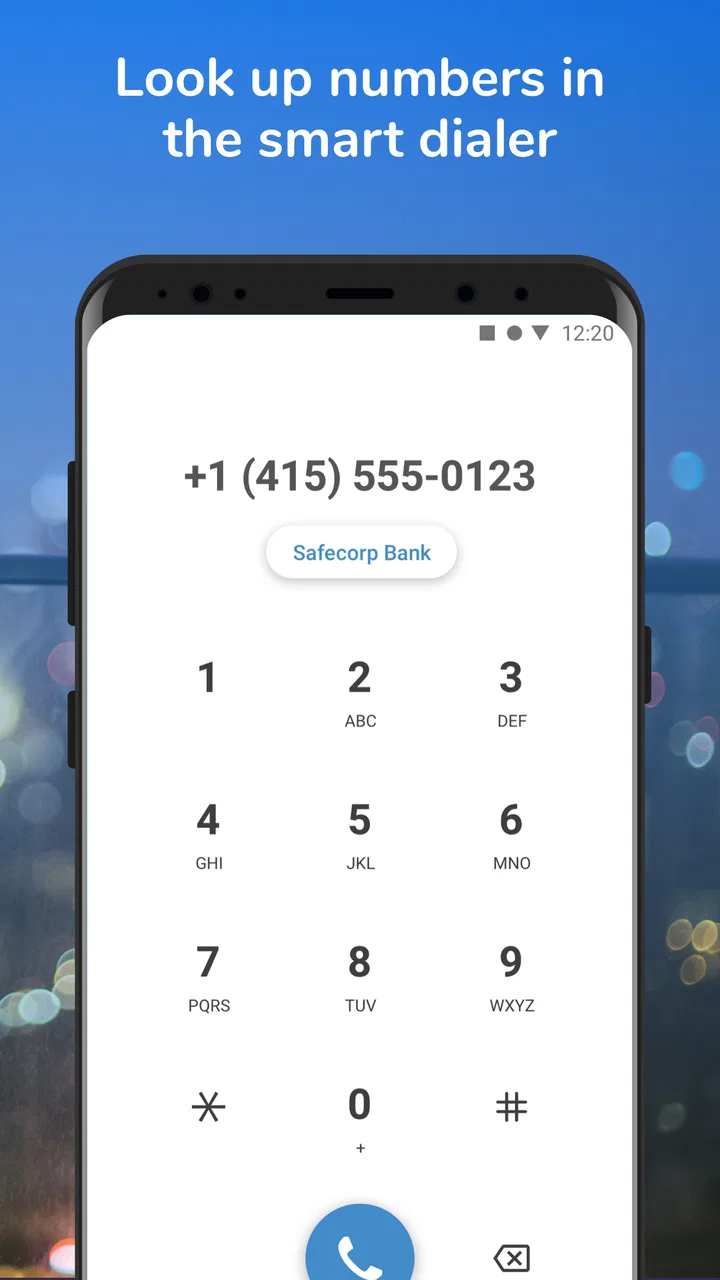
Unknown calls are not all the same. Some are useful, some are harmless mistakes, and others are designed to pressure you into answering quickly. I have always found that the difficult part is not simply spotting a suspicious number; it is deciding what to do with it without interrupting my day or accidentally blocking someone important. Mr. Number is built around that problem, combining caller identification with tools for dealing with fraud, scam, and spam calls.
It is a free communication app from Hiya, with optional in-app purchases ranging from $0.99 to $24.99 per item. Its main appeal is practical rather than flashy: it aims to give you more information before you answer and more control after an unwanted call arrives. The app is available for users on Android 6.0 or later, and its Everyone content rating makes it approachable for a broad audience.
After spending time with it, my view is fairly simple. This is most useful for people who receive frequent nuisance calls and want a dedicated layer of screening instead of handling every interruption manually. It is less compelling for someone who rarely gets unknown calls, dislikes granting communication apps access to sensitive phone functions, or already feels that the phone’s built-in blocking tools are enough.
You May Also Like

 Blood Strike: 2.5 Anniversary
Blood Strike’s Loadouts Turn Every Drop Into a Tactical Gamble
A close look at Blood Strike’s custom loadouts: how fast access to signature weapons reshapes its battle royale rhythm, rewards preparation, and narrows the gap between fights.

 Pandora - Music & Podcasts
Pandora’s Music Is Easy to Start, but Harder to Recover
Pandora’s strength is its low-effort path from a seed to a station. Its weak spot is how much confidence it asks you to place in connection, setup, and quiet recovery.

 8 Ball Pool
 Is Built on Rivalries, Rematches, and Routine
A close look at the rivalries, rematches, shared routines, and unanswered safety questions that turn a quick pool match into a persistent mobile community.

 Samsung Music
’s Quiet Strength Is Playing What You Already Own
Its reach comes less from spectacle than from dependable access to a personal library. That simplicity is both the app’s strongest retention engine and its ceiling.

 AccuWeather: Weather Radar
AccuWeather Review: A Quick, Clear Forecast for Everyday Decisions
For everyday plans, the best forecast is the one you can understand quickly. AccuWeather makes rain timing, radar, and local conditions easy to act on, with a few trade-offs.

 Hill Climb Racing
Why Hill Climb Racing Still Turns Crashes Into One More Run
A tiny car, a bumpy hill and one more upgrade: Hill Climb Racing keeps resurfacing because its simple chaos makes every near-miss feel personal.
More From Our News Desk



What Mr. Number is really trying to solve
The usual phone app is good at showing a number and letting you block it after the fact. That workflow becomes tiring when the calls keep coming from different numbers, when the caller leaves no useful message, or when a suspicious call arrives while you are busy. Mr. Number focuses on making that decision easier by helping identify numbers and filtering unwanted contact.
That distinction matters. I do not see this as a replacement for sensible judgment. A label can be helpful, but it should not become an automatic reason to trust or reject every call. A legitimate business may call from a number I do not recognize, while a scammer may use a number that looks local. The app is best treated as an extra signal, not as a guarantee.
The product’s store summary centers on blocking and identifying fraud, scam, and spam calls, while its short store description uses the name “Mr. Number.” In everyday use, that positioning makes sense: the app is aimed at the moment before answering, when a little context can save time, and the moment afterward, when blocking or reporting can prevent repeated interruptions.
Its long presence in the category also gives it a recognizable identity. It was released on July 5, 2010, and the current version is 14.7.5-11717. The service has grown to over 10 million installs, with a 3.8 average from around 204 thousand ratings and about 74 thousand written reviews. Those figures suggest a widely used tool with a mixed but substantial body of public feedback, rather than a niche experiment that has barely been tested.
Where it fits beside ordinary phone controls
Android and iOS already include basic ways to silence, block, or report numbers. Those tools have an important advantage: they are close to the operating system and usually require less setup. If my only need is to stop one persistent caller, I would probably start there.
Mr. Number becomes more interesting when I want a more focused communication workflow. Instead of waiting for a call to become a repeated annoyance, I can use a dedicated app whose purpose is recognizing suspicious contact and managing it. That can be worthwhile for people who receive sales calls during working hours, use a personal number for public-facing activities, or regularly deal with calls that appear unrelated to their contacts.
The trade-off is that a specialist caller app naturally raises more questions than a simple built-in block button. I have to consider what access it requests, how comfortable I am with its role in my calling experience, and whether the extra information is worth the added layer. For me, that trust question is not a side issue; it is part of the product decision.
Controls, choices, and the moments that deserve care
When I’m deciding how much call screening to use, I start with the calls I genuinely cannot afford to miss, then shape the app’s role around that need. This section looks at how to keep those choices understandable, use repeatable habits rather than reacting in the moment, and recognize when caution should take priority over convenience.
Start with the smallest useful setup
My preferred way to approach an app like this is to begin conservatively. I would install it, review every permission and system prompt in plain language, and avoid enabling anything I do not understand. A caller-identification tool can be useful without becoming the center of every communication decision, so I would first test how it behaves with unknown calls and whether its alerts are clear enough to act on.
This is also a good way to avoid a common mistake: turning on every available option immediately and then forgetting what changed. If the app offers several blocking or identification choices, I would enable one at a time. That makes it easier to tell whether a missed call was filtered, silenced, or simply handled by the phone itself.
The safest setup is the one you can explain to yourself. I want to know what happens when a call is flagged, whether I can review the decision, and how to reverse it. If I cannot answer those questions from the visible controls, I would pause before relying on the app for important calls.
Use identification as a prompt, not a verdict
One of the more useful habits is to treat caller information as a prompt to slow down. If a call is marked as suspicious, I would not provide personal details, verification codes, payment information, or account credentials. I would let it go to voicemail or end the call and contact the organization through a number I already trust.
This workflow is more valuable than simply counting how many calls were blocked. It changes the pressure of the moment. A suspicious call often tries to make the recipient act before thinking. Seeing a warning, or even just recognizing that the number is unfamiliar, gives me a reason to stop and verify independently.
There is an important exception. A warning does not prove that the caller is malicious, and a clean-looking call does not prove that it is safe. I would still be careful with delivery services, medical offices, schools, banks, and employers, where an unexpected call may be legitimate. If I am waiting for something important, I prefer screening over aggressive automatic blocking.
A realistic everyday workflow
Imagine I am working from home and receive several calls from numbers I do not recognize. The first one arrives during a meeting, the second leaves no meaningful message, and the third appears to be connected to a sales pitch. Rather than answering each interruption, I can review the caller information, ignore the calls that look suspicious, and block or report the ones that clearly do not belong in my day.
Later, I would check whether an expected caller tried to reach me. This second step is easy to overlook, but it is where responsible use matters. Blocking is convenient, yet a blocked number can sometimes belong to a real person or service. I would keep an eye on recent calls and voicemail, especially during the first few days, instead of assuming that every filtered call was correctly classified.
This workflow also shows why the app is not only for people who receive obvious scams. It can be useful for anyone who wants a calmer way to process unknown calls. The benefit is not that every unwanted call disappears forever; it is that I can make decisions in batches instead of reacting to every ring.
Trust and data-sensitive decisions
Communication apps sit close to personal information, so I would judge Mr. Number by the choices it shows me rather than by broad promises. Before using it regularly, I would read the permission explanations and privacy information presented during setup and in the app’s settings. I would also check whether account-related controls are easy to find and whether I can change my choices later.
I am especially cautious at moments involving contacts, call history, caller identification, or reporting. Those areas can reveal patterns about who I communicate with and when. I would not assume that a convenient feature is automatically harmless, and I would not grant access simply because the app requests it. If a permission is not clearly connected to the function I want, I would leave it disabled until I understand the reason.
The same principle applies to optional purchases. The app is free to install and use in its basic form, but individual in-app purchases can cost from $0.99 to $24.99. I would review what an optional item changes before paying, confirm that it addresses a problem I actually have, and avoid treating a purchase as a guarantee of perfect identification or protection.
For families, the Everyone rating is reassuring from an age-classification perspective, but it does not remove the need for supervision around privacy and phone access. I would explain to a younger user why unknown-call warnings are useful and why no caller should be given passwords, codes, or financial information merely because an app displays a label.
Where user agency matters most
The strongest experience is one where I remain in charge. I want to be able to decide whether an unknown call should be ignored, blocked, returned, or verified elsewhere. A useful caller app should support that judgment rather than quietly replacing it.
That is why I would keep important contacts saved and review blocked or filtered activity from time to time. If a number is repeatedly flagged but belongs to a service I need, I would correct my own habits and settings rather than blindly trusting the first classification. I would also avoid blocking broad categories when I am expecting calls from unfamiliar numbers.
Another practical tip is to separate “annoying” from “dangerous.” A marketing call may be unwanted but not fraudulent. A threatening or deceptive call deserves a different response: do not argue, do not share information, preserve relevant details, and use the appropriate reporting route if necessary. Mr. Number can help me manage the phone interaction, but it does not replace official reporting or personal security judgment.
Limitations I noticed in the overall approach
The biggest limitation is the possibility of false confidence. Caller identification is helpful only when I remember that classifications can be imperfect. Numbers change hands, businesses use outside call centers, and scammers can imitate familiar patterns. I would never use a label as the sole reason to disclose sensitive information.
There is also a balance between protection and visibility. Strong filtering can reduce interruptions, but it can also make it harder to notice an important call from someone outside my contacts. People who are job hunting, arranging healthcare, managing deliveries, or caring for relatives may need unknown calls to remain visible. For them, a review-first approach is safer than the most aggressive blocking setting.
Another possible friction is the app’s position between the operating system and the user. Any tool that participates in call handling can make the phone feel more complicated, especially if its behavior overlaps with built-in controls. I would compare the two after setup and remove duplicate rules where possible. If the phone’s own blocking and spam options already solve my problem, adding another layer may not be worth the learning curve.
The rating of 3.8 is consistent with that balanced picture. The app has reached a large audience, but it is not presented by users as universally perfect. I would read recent reviews for issues that match my device and calling habits, paying attention to reports about missed legitimate calls, confusing alerts, or settings that are difficult to understand.
Who should use it, and who should skip it
I would recommend giving Mr. Number a careful trial to people whose main problem is repeated unknown calls and who want more context before answering. It is a sensible candidate for a personal phone that receives a mixture of work, family, delivery, and unsolicited calls. It may also help someone who wants to create a deliberate routine: identify, pause, verify, then block or report when appropriate.
I would be more cautious with people who receive critical calls from constantly changing numbers. They should favor visible screening and voicemail review over automatic blocking. I would also suggest skipping it if the phone’s existing tools are already quiet and reliable, or if the user is uncomfortable with a third-party communication app operating near call information.
It is not the right answer for someone looking for complete fraud protection. No caller app can make social engineering disappear, and no label should replace checking an organization through an independently trusted channel. If the problem is abusive contact, identity theft, or a serious threat, I would use the app only as one small part of a broader response.
My cautious verdict
Mr. Number has a clear everyday purpose, and I appreciate that purpose because unwanted calls are a small problem that can consume a surprising amount of attention. Its value comes from adding context and helping organize decisions, not from promising that every bad call will be recognized perfectly.
I would install it when nuisance calls are frequent enough to justify a dedicated tool, then configure it gradually and watch how it handles legitimate unknown callers. I would keep sensitive information out of every unexpected conversation, review visible controls before granting access, and treat optional purchases as conveniences to evaluate rather than necessities.
Hiya has made a communication app with a focused role, and the current version gives Android users a practical way to explore that role on devices running Android 6.0 or newer. The free entry point makes testing straightforward, while the optional purchases mean I would pay attention during checkout. My final recommendation is positive but measured: choose Mr. Number when you need a calmer screening workflow, not when you want technology to make every trust decision for you.
FAQs for Mr. Number: Spam Call Blocker
01What features does Mr. Number: Spam Call Blocker offer?
Mr. Number: Spam Call Blocker provides a robust suite of features designed to protect users from unwanted calls and messages. It offers real-time spam call identification, the ability to block specific numbers, and a community-driven database that helps identify and report spam numbers. Additionally, users can customize settings to block specific area codes or even entire countries.
02Is Mr. Number compatible with both Android and iOS devices?
Yes, Mr. Number is available for both Android and iOS platforms. It can be downloaded from the Google Play Store for Android devices and the App Store for iOS devices. The app is designed to integrate seamlessly with both operating systems, providing a consistent and reliable user experience across different devices.
03How does Mr. Number handle privacy and data security?
Mr. Number prioritizes user privacy and data security by utilizing advanced encryption methods to protect user data. The app does not store personal information without consent and ensures that any data used to identify spam is anonymized. Users can also manage app permissions to further control what information is accessed.
04Can Mr. Number block international calls or messages?
Yes, Mr. Number allows users to block international calls and messages. Users can customize their settings to block calls from specific countries or regions, which is particularly useful for avoiding international spam or scam calls. The app provides flexibility in managing incoming communications based on user preferences.
05Does Mr. Number require a subscription fee?
Mr. Number offers both free and premium versions. The free version includes basic call blocking features and spam identification, while the premium version provides advanced features such as enhanced spam protection and more detailed call reports. Users can choose a subscription plan that fits their needs, with options for monthly or annual billing.
Pros
- Effective spam call blocking feature.
- User-friendly interface for easy navigation.
- Customizable block settings to suit needs.
- Includes caller ID for unknown numbers.
- Minimal battery and data usage.
Cons
- Occasional false positives in blocking.
- Limited features in free version.
- In-app ads can be intrusive.
- Requires access to contact list.
- Not always accurate with caller ID.

Mr. Number: Spam Call Blocker
Gallery